What Makes a Backpack TSA Friendly for Airport Security?
Airport security lines move fast, and nobody wants to be the person holding everyone up. You dig through your bag. You yank out your laptop. Your liquids spill onto the belt. It feels stressful every single time.
The good news is that your backpack can fix most of this trouble. A TSA friendly backpack helps you glide through the checkpoint with less fuss.
It keeps your laptop easy to reach. It holds your liquids in one clear spot. It saves you real time and real stress.
In a Nutshell:
- A lay flat laptop compartment is the star feature. It opens fully so your laptop lies flat with nothing above or below it. This lets the X ray machine get a clear picture, and often means you can leave the laptop inside the bag.
- The 3-1-1 liquids rule still applies to every backpack. You need a clear quart size bag. Each liquid container must hold 3.4 ounces or less. Keep this bag in an easy to grab outer pocket.
- Metal placement matters more than you think. A true checkpoint friendly bag has no metal zippers, snaps, or buckles near the laptop section. Metal blocks the X ray view and slows things down.
- Quick access pockets speed up your whole screening. You want spots for your electronics, your liquids, and your metal items that open in one motion.
- TSA PreCheck changes the game. With PreCheck, you keep your laptop and liquids inside your bag. Any backpack becomes easier when you have this program.
- Packing habits beat bag features. Even a basic backpack works well if you pack it in an organized, checkpoint ready way.
What “TSA Friendly” Actually Means
Many people think “TSA friendly” is an official stamp. It is not. TSA does not approve or certify any specific backpack brand.
The term describes a bag that follows the design ideas that make screening faster. A TSA friendly backpack lets officers see your items clearly on the X ray screen. It helps you follow the rules without stress.
The main idea is simple. The X ray machine needs a clean, uncluttered view of your laptop and other large electronics.
When metal, cables, and papers pile on top of your device, the image looks messy. That triggers a bag check. A well designed backpack removes this problem. So “TSA friendly” really means “easy to screen and easy to pack correctly.”
The Lay Flat Laptop Compartment Explained
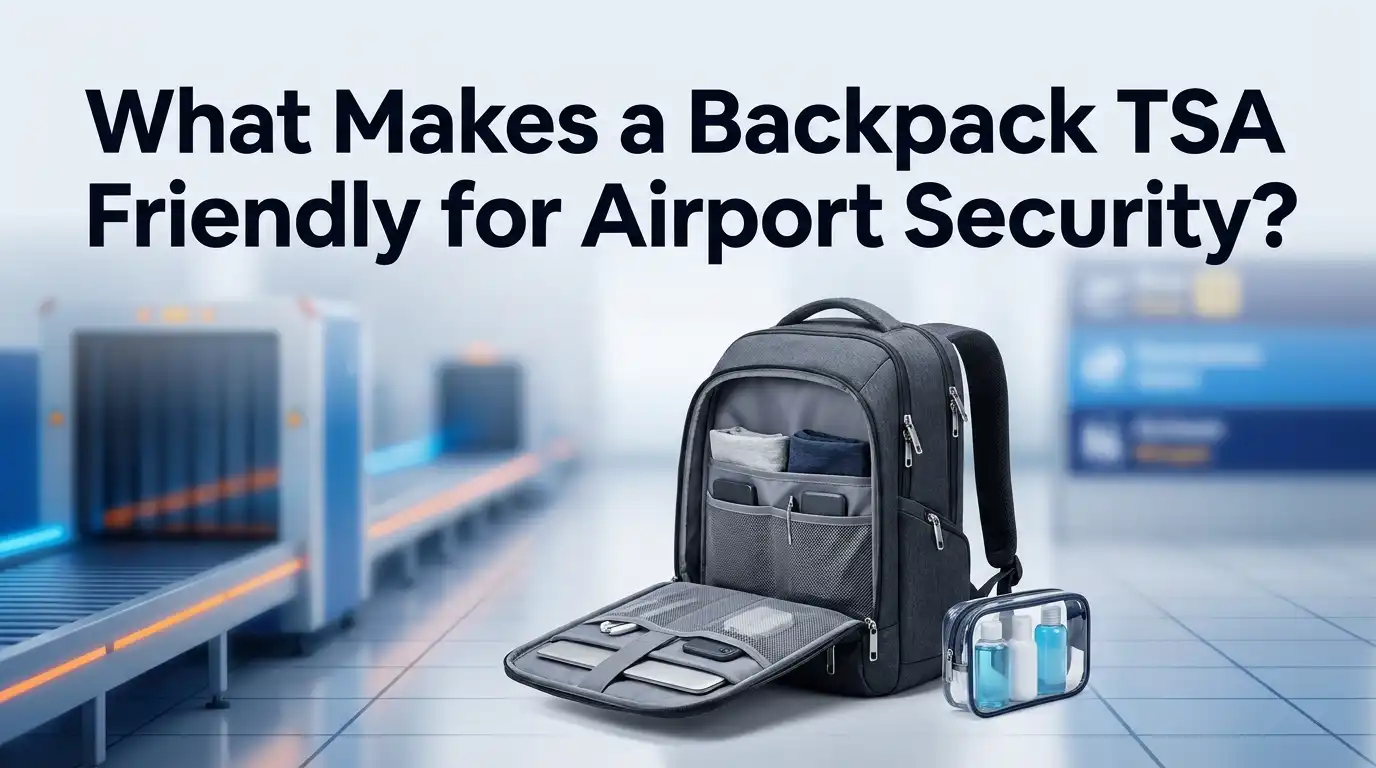
This is the single most important feature. A lay flat compartment opens completely so your laptop rests flat on the belt. Nothing sits above it. Nothing sits below it.
The X ray beam passes straight through and gives officers a clear picture. Designers often call this a butterfly style or trifold opening.
For this feature to work well, the laptop section must hold only the laptop. No pens. No notebooks. No tablets stacked on top. No charging bricks in the same pocket.
Even a checkpoint friendly bag fails if you cram extra items around the device. When packed right, this design can let you leave the laptop inside the bag at standard checkpoints. That saves you the fumble of pulling it out and putting it back.
Why Metal Placement Changes Everything
Metal is the hidden villain at security checkpoints. Zippers, snaps, buckles, and metal frames block the X ray view.
When these sit near your laptop, the officer sees a dark blur instead of a clean image. That blur means a manual bag search. A true checkpoint friendly backpack keeps the laptop section free of metal parts.
Look for bags that use plastic or molded zippers around the laptop area. The metal hardware, if any, sits far away from the device section. This small design choice makes a big difference.
A clear scan is a fast scan. If your current bag has heavy metal zippers right over the laptop, you may still need to remove your device. So check where the metal lives before you trust the “friendly” label.
Understanding the 3-1-1 Liquids Rule
Liquids trip up more travelers than anything else. The rule is easy once you learn it. It is called 3-1-1. Each liquid, gel, or aerosol container must hold 3.4 ounces or 100 milliliters or less. All of them must fit inside one clear quart size bag. Each passenger gets one bag.
Common items that count include toothpaste, shampoo, lotion, mouthwash, and sunscreen. Many people forget that gels and creams also count as liquids. A TSA friendly backpack helps here by giving you a dedicated outer pocket for your quart bag.
You slide it out in one motion and place it in the bin. Then you slide it back in after screening. Easy access is the whole point. If you have TSA PreCheck, you can leave the liquids bag inside.
Quick Access Pockets and Smart Organization
The best backpacks let you reach the “problem” items fast. You want separate, easy to open pockets for your laptop, your liquids, and your metal items.
A front pocket for your quart bag works great. A small top pocket for keys, coins, and your watch works even better. This design keeps you from digging through the whole bag while a line forms behind you.
Good organization also protects your belongings. When everything has a home, nothing gets lost or crushed. You know exactly where your passport sits. You know where your charger lives.
Think of your backpack like a small filing system. A place for each item, and each item in its place. This habit alone can cut your screening time in half. It also lowers your stress before you even reach the belt.
Pros and Cons of Checkpoint Friendly Backpacks
Every design choice has trade offs. Here is an honest look at bags built for security.
Pros:
- They speed up your screening and reduce bag checks.
- The lay flat design often lets you keep the laptop inside.
- Clear pockets make liquids and electronics easy to grab.
- Good padding protects your laptop during the trip.
Cons:
- Some models cost more than a basic backpack.
- The trifold laptop section can feel bulky when empty.
- A few designs sacrifice storage space for the flat opening.
- The “friendly” label is not regulated, so quality varies a lot.
The takeaway is simple. A well made checkpoint friendly bag pays off if you fly often. For rare travelers, smart packing in any backpack may serve you just as well. Weigh how often you fly against the price before you buy.
How TSA PreCheck Affects Your Backpack Choice
TSA PreCheck is a trusted traveler program. It changes your entire checkpoint experience. With PreCheck, you keep your laptop, liquids, shoes, belt, and light jacket in place.
You do not unpack your electronics. You do not pull out your quart bag. This means the fancy lay flat feature matters much less for you.
Here is the honest truth. If you have PreCheck, almost any organized backpack works fine. The special design mainly helps travelers in the standard line. Still, good organization always helps, even with PreCheck.
Lines can shift, and officers may ask you to remove items on busy days. So a tidy, well planned backpack remains a smart choice. Think of PreCheck as the biggest time saver of all, and the bag design as a helpful backup.
Step by Step: Packing Your Backpack for Security
Let us turn all this into action. Follow these steps before you leave home.
- Start with an empty bag. Check every pocket for old items, spare batteries, or leftover liquids from past trips.
- Place your laptop alone in its flat section. Remove tablets and papers so the X ray view stays clear.
- Load your quart bag into an outer pocket. Keep it near the top or front for quick removal.
- Store metal items in one small pocket. Put keys, coins, and your watch together so you empty them fast.
- Zip large electronics into reachable spots. Cameras and game consoles must come out too at standard lines.
Do a final check at the belt. Empty your pockets completely into a bin or your bag. This simple routine keeps you moving and keeps officers happy.
Size, Fit, and Carry On Rules to Remember
A TSA friendly backpack must also be an airline friendly backpack. Security screening and airline size limits are two different things. TSA checks what is inside your bag. The airline checks how big your bag is. Most carriers set a carry on limit near 22 by 14 by 9 inches, though this varies.
Measure your packed backpack, not the empty one. A stuffed bag grows larger than the tag suggests. A bag that clears security but fails the sizer at the gate still causes trouble.
So pick a backpack that fits both rules. Look for a shape that stands upright and slides under the seat or into the overhead bin. Comfortable straps and a padded back panel also help, since you may carry this bag through long terminals and layovers.
Common Mistakes That Slow You Down
Small errors cause big delays. The top mistake is leaving liquids loose in your bag. A forgotten water bottle or a full size lotion triggers a search every time. Empty your bottle before the line and pack liquids the right way. Another common error is stacking items on top of your laptop.
Cluttered laptop sections almost always get flagged. A third mistake is wearing lots of metal through the scanner. Belts, heavy jewelry, and coin filled pockets set off the alarm. Remove them ahead of time and store them in your backpack.
People also forget about power banks and spare batteries. These must ride in your carry on, never in checked luggage. Fix these habits and your trips get smoother right away.
Extra Features That Make a Difference
Beyond the basics, a few extras add real comfort. A luggage pass through strap lets you slide your backpack onto a rolling suitcase handle. This saves your shoulders in long terminals.
A water resistant coating protects your gear from rain and spills. Lockable zippers add security when you set your bag down or store it overhead.
Think about a bright interior lining too. A light colored inside helps you spot small items fast. RFID protected pockets guard your cards and passport from digital snooping.
A comfortable, padded back panel matters on long travel days. None of these features are required for TSA screening. They simply make the whole travel day easier and safer. Choose the extras that match how and where you travel most often.
Caring for Your Backpack So It Stays Travel Ready
A good backpack lasts for years with a little care. Empty it fully after every trip. Old receipts, crumbs, and forgotten liquids cause problems on your next flight. Wipe the outside with a damp cloth to remove grime. Let it dry completely before you store it.
Check the zippers and straps often. A broken zipper on the laptop section defeats the whole lay flat design. Tighten loose threads before they turn into real tears.
Store your backpack in a dry spot, not a damp closet. If it gets wet, dry it fully to stop mold and odor. A clean, well kept bag also screens faster, since officers see fresh, tidy contents. Treat your backpack well, and it will treat your travels well.
Frequently Asked Questions
Does TSA officially approve or certify backpacks?
No. TSA does not certify any backpack or brand. The phrase “TSA friendly” simply describes a design that makes screening faster. It refers to features like a lay flat laptop section and clear pockets. Always focus on the actual features, not just the marketing label.
Can I really leave my laptop inside a checkpoint friendly bag?
Sometimes, yes. A true lay flat compartment with no clutter and no metal nearby can allow this. However, officers make the final call at each checkpoint. On busy days or with certain machines, they may still ask you to remove it. With TSA PreCheck, you keep the laptop inside every time.
What size liquids can I carry in my backpack?
Follow the 3-1-1 rule. Each container must hold 3.4 ounces or 100 milliliters or less. All containers must fit inside one clear quart size bag. You get one bag per person. Gels, creams, and aerosols count as liquids too.
Do I need to remove electronics other than my laptop?
Yes, in the standard line. Any personal electronic device larger than a cell phone must come out. This includes tablets, cameras, and game consoles. Place each one in a bin with nothing on top or below. PreCheck travelers skip this step.
Is a checkpoint friendly backpack worth the money?
It depends on how often you fly. Frequent travelers gain real time savings and less stress. Rare travelers may do just as well with smart packing in a normal bag. Weigh the price against your travel habits before you decide.
Will TSA PreCheck make my backpack choice easier?
Yes. With PreCheck, you keep your laptop, liquids, and shoes in place. This makes almost any organized backpack work well. The special lay flat design helps most in the standard line. Still, good organization always helps on busy travel days.

Hi, I’m Luna Beck — the founder and voice behind Urban Pack Vault. I’m passionate about helping people find bags that perfectly match their lifestyle. From backpacks to travel luggage, I research, review, and recommend so you never have to second-guess your next purchase.